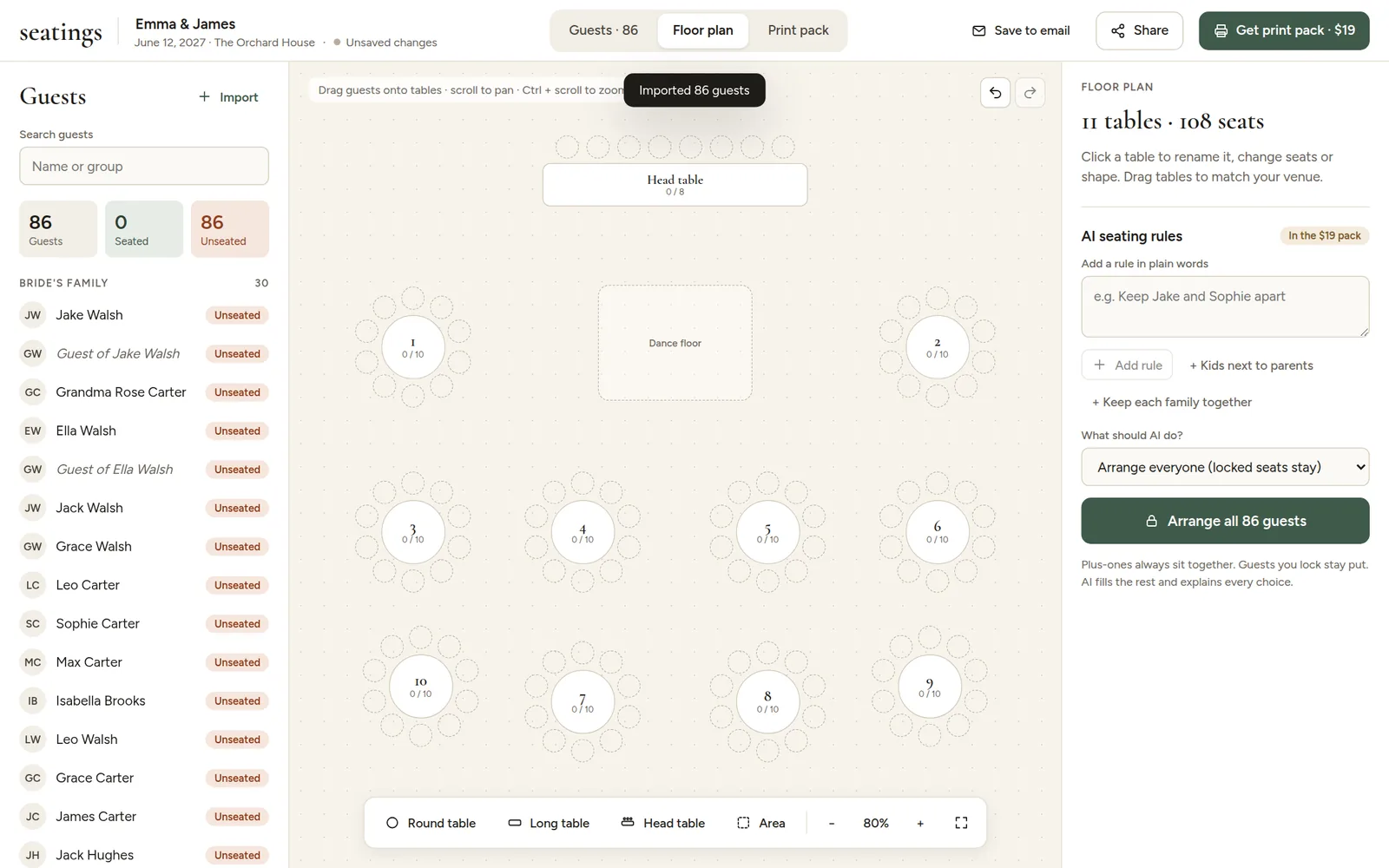
Open the Floor plan tab. A new plan starts with a head table, ten round tables and a dance floor. Change it to look like your venue: it does not need to be exact, just close enough that everyone can find their table.
Add tables and areas
The toolbar at the bottom adds new things to the room:

- Round table, Long table and Head table. New tables get the next free number.
- Area for the dance floor, stage, bar, DJ or band, speakers, entrance or anything else.
Move around the room
- Drag tables and areas to put them where they belong.
- Scroll to move around, and hold Ctrl (Cmd on a Mac) while scrolling to zoom. You can also use the - and + buttons. On a phone or tablet, move with one finger and pinch to zoom. Tables and areas are under Add in the toolbar.
- The fit button shows the whole room at once.
Next: change a table's seats and name and add the dance floor and other areas.
Tip: put the dance floor, bar and speakers roughly where they really are. AI rules like "Grandparents away from the speakers" use their position.