Type your courses and seatings lays them out for you.
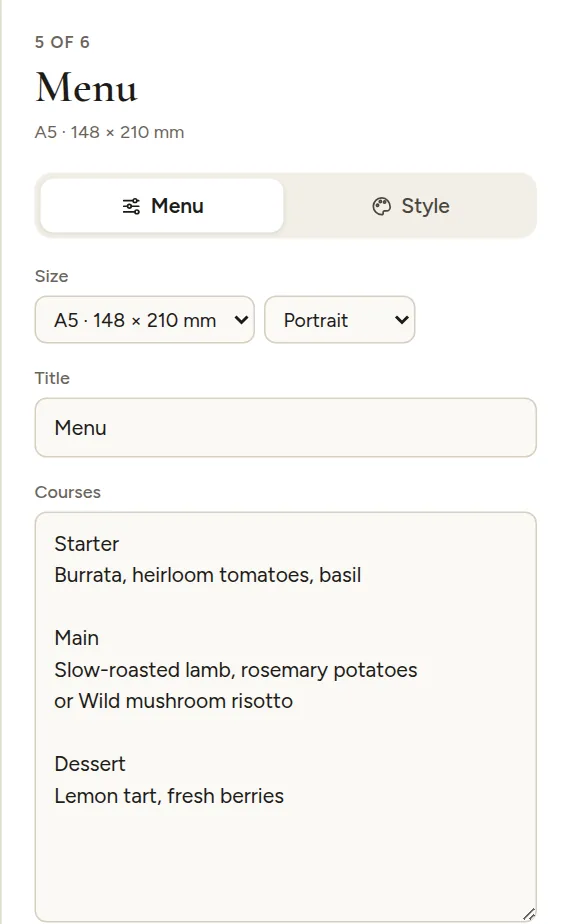
Writing the courses
- Put each course in its own block, with a blank line between courses.
- The first line of a block is the course title, like "Starter" or "Main".
- Every line after it is a dish.
- A line starting with "or" is set in italics, for choices like "or Wild mushroom risotto".
- Add (V), (VG), (GF) or (DF) at the end of a dish to show a small dietary badge.
- Drinks, a late-night snack or a cake can be courses too.
For example, a block with the lines "Main", "Slow-roasted lamb, rosemary potatoes (GF)" and "or Wild mushroom risotto (V, GF)" becomes a Main course with two dishes, the second in italics, each with its badges.
Advanced
- One menu per guest, with their name: every seated guest gets their own menu with their name on top. It doubles as a place card.
- Alignment: centered or left.
- At the bottom: nothing, your monogram, the date, or both.
- Dietary badges: turn the (V) and (GF) badges on or off.
- Text size.
The default size is A5 or 5×7 in. A tall DL or 4×9 in menu fits nicely on a folded napkin.