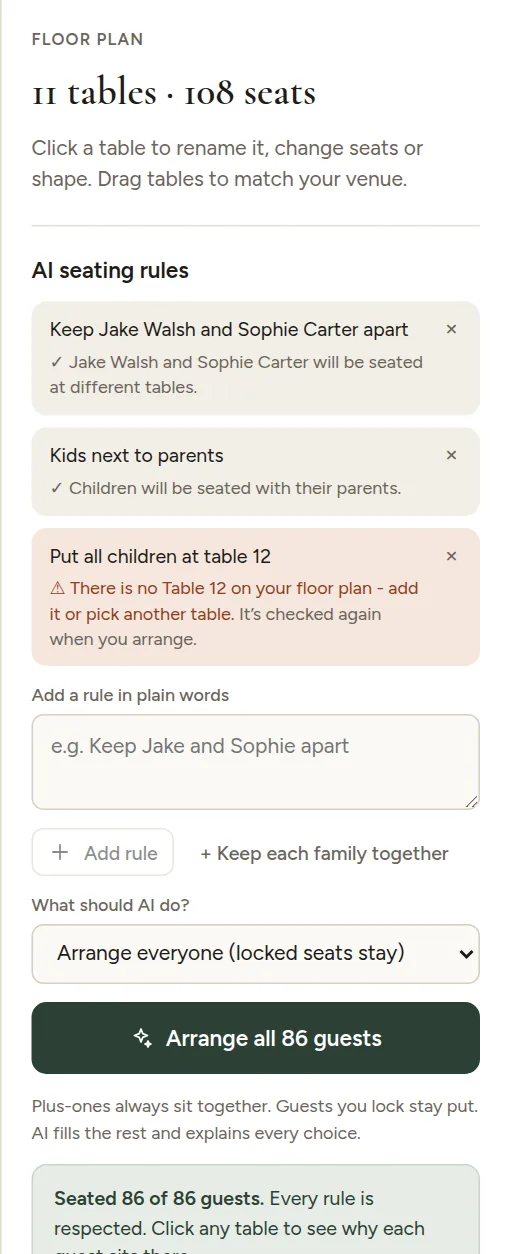
A rule that cannot be used is marked in orange, with the reason underneath. Nothing is guessed silently.
Common reasons and fixes
| The reason says something like | What to do |
|---|---|
| There is no Table 12 on your floor plan | Add the table, or change the rule to a table you have |
| I can't find a guest called Hannah | Check the spelling, or use the full name from the guest list |
| No guests are marked as children | Tick Child for the kids in the guest list |
| There is no dance floor on your plan | Add an Area of type Dance floor |
The exact wording can differ, but it always points to what is missing. Unclear rules are checked again every time you arrange, so once you fix the plan, arrange again and the rule is used.
When rules clash
Sometimes two rules cannot both be true, or a table is too small for a group that should sit together. The AI keeps as many rules as the room allows and tells you which ones it could not meet. Give the table more seats, relax one rule, or move those guests by hand.