After you paste, upload or link your list, a preview shows every guest that was found, how many groups and plus-ones there are, and which column is which.
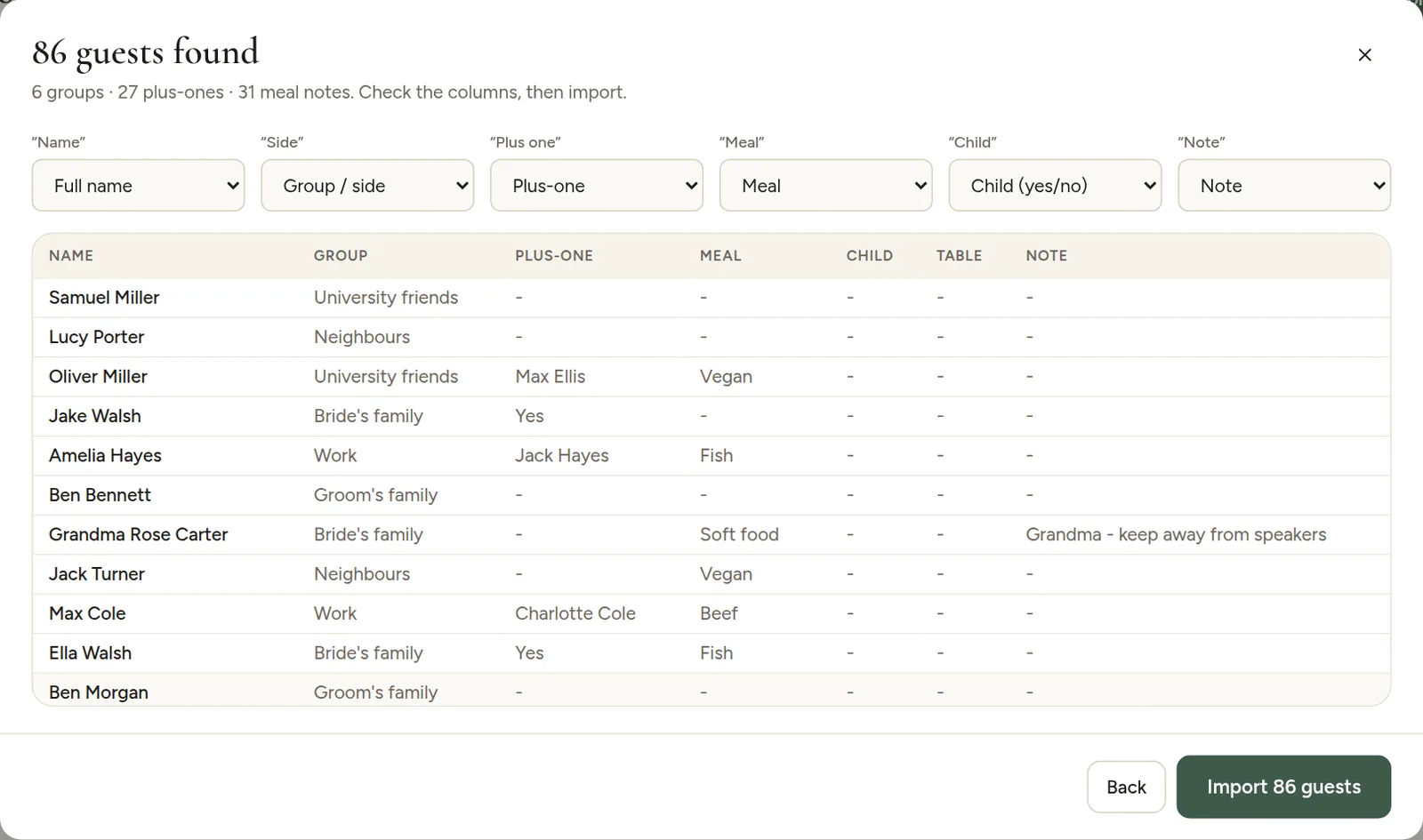
Above each column is a picker: Full name, First name, Last name, Group / side, Plus-one, Meal, Note, Child (yes/no), Table number or Ignore. Change any column that was guessed wrong, and the preview updates right away.
Things to check
- Names are in the right column, and couples on one line were split into two guests.
- Plus-ones: the Plus-one column shows a name, or "Yes" for an unnamed guest.
- Duplicates: guests marked Duplicate? are already in your list, or appear twice. Remove them from your file, or delete the extra one after importing.
When everything looks right, click Import. Changed your mind? Click Back to edit the list first.