If your guests chose their meals, the waiters need to know who gets what. Escort and place cards can show it.
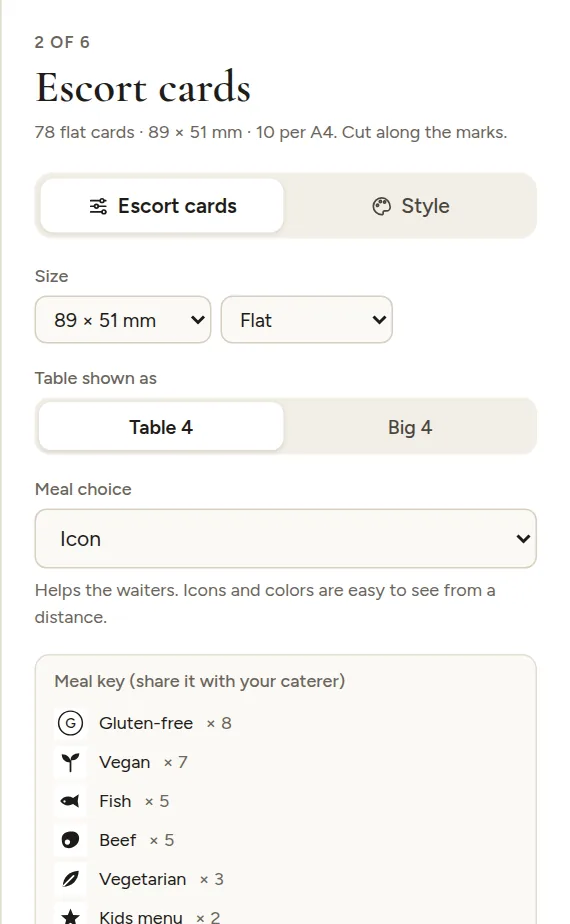
Choose how meals are marked
Open Escort cards or Place cards and pick a style under Meal choice:
| Style | What it looks like |
|---|---|
| Written out | The meal in small letters under the name |
| Icon | A small picture: fish, chicken, meat, vegetarian leaf, vegan sprout, kids' star. Other meals get their first letter in a circle |
| Color dot | One color per meal |
| Letter in a circle | The first letter of the meal |
Meals come from the Meal column in your guest list. See Groups, meals and notes.
Meal key for your caterer
With icons, dots or letters, a Meal key appears under the option: every meal, how it is marked and how many guests chose it. Send it to your caterer with the final counts.
Card color by meal
For escort cards you can also tint each card by meal, like colored card stock, under Advanced, Card color, By meal. Staff can then spot meals from across the room.