Open the Seating chart in the Print pack.
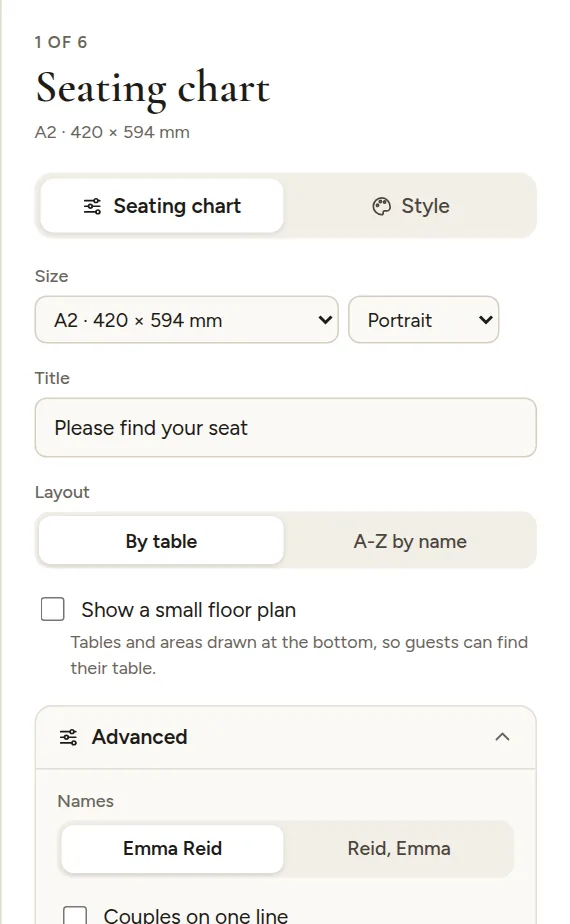
Main options
- Title: "Please find your seat" by default. Change it to anything you like.
- Layout: By table lists each table with its guests. A-Z by name lists every guest alphabetically with their table, which is faster to read for big weddings (around 80 guests and up).
- Show a small floor plan: adds a map of the room at the bottom, with table numbers and areas, so guests can find their table.
Advanced
- Names: "Emma Reid" or last name first, "Reid, Emma". With last name first you can turn the comma off ("Reid Emma"), which is how most languages other than English write it.
- Couples on one line: "Emma & James Reid" instead of two lines.
- Order at each table (by table layout): seat order, by last name or by first name.
- Letter headings (A-Z layout): A, B, C above each group of names.
- Line under the title: your names and date, your own text, or nothing.
- Message at the bottom, for example "Thank you for being here".
- Columns: automatic, or a fixed number.
- Text size: make everything a little bigger or smaller. Names always shrink to fit.
The chart always fits everyone on one page. With more guests the text gets smaller, so for 150+ guests choose a bigger poster or the A-Z layout.