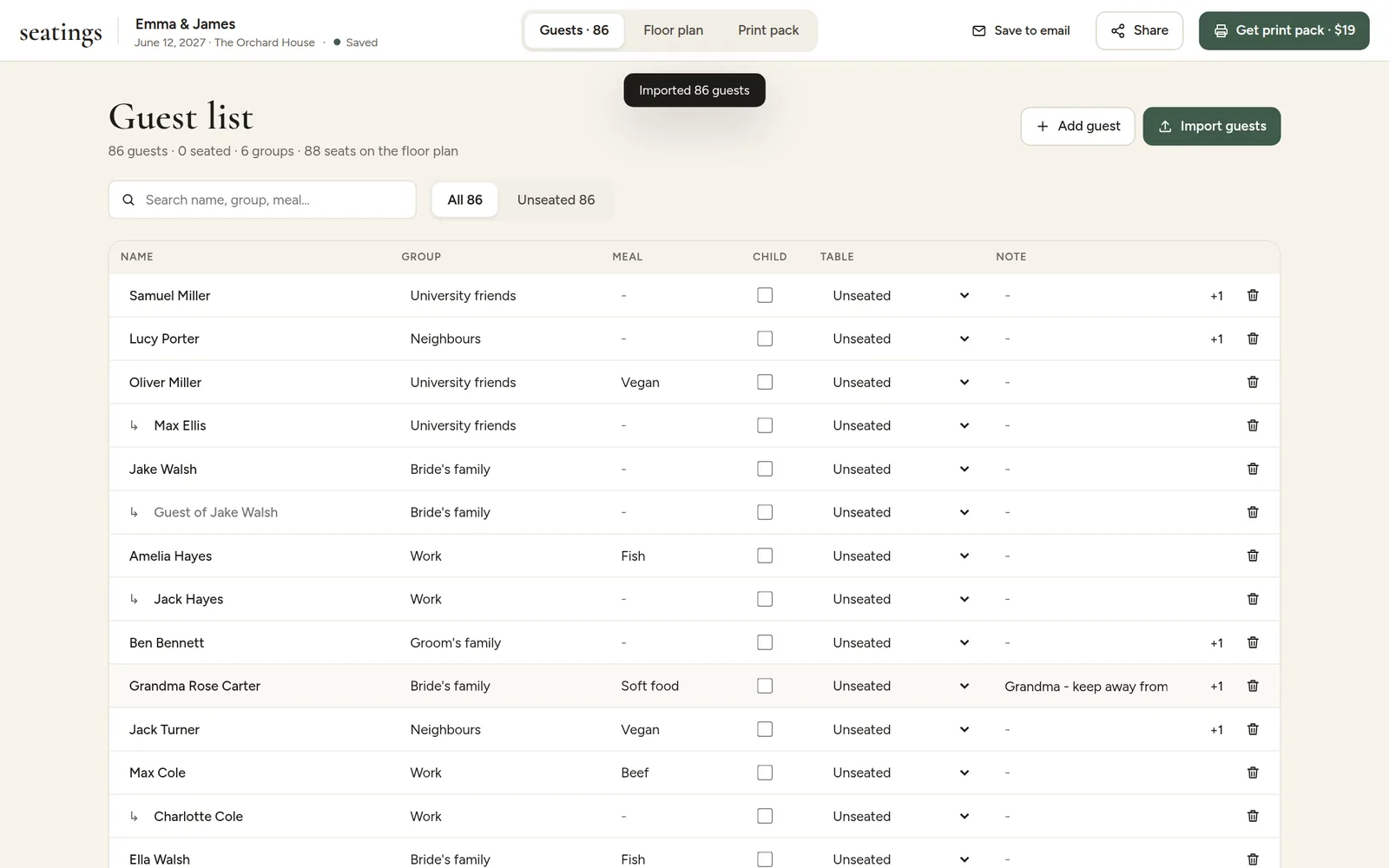
The Guests tab shows everyone in a table you can edit directly.
Group
The side or circle a guest belongs to, like "Bride's family", "Groom's family", "University friends" or "Work". Groups organise the guest list on the Floor plan tab, and AI seating uses them for rules like "Keep each group together".
Meal
The guest's meal choice: Beef, Fish, Vegetarian, Vegan, Kids menu or anything your caterer offers. Meals can be shown on escort and place cards as words, icons, colored dots or letters. See Meals on escort and place cards.
Note
Anything else worth knowing, for example "grandmother", "uses a wheelchair, near the entrance" or "best man". Notes are never printed. AI seating reads them, so a rule about "grandma" can find the right guest.
Table
Shows where each guest sits. Pick a table to move a guest, or Unseated to take them off their table.